
Designer: Collections
Brief Overview
A collection product allows customers to select a specific range of images during checkout. This is ideal for workflows where the customer must choose which images will be used in a multi‑image or specialty product.
Why You’d Use a Collection
A collection is perfect when you need customers to confirm the exact images they want included in:
All‑image or multi‑image self‑fulfilled digital downloads
Specialty products such as wedding albums, event albums, or custom books
A collection product ensures the customer selects the correct number of images before the order is fulfilled.
Setup / Configuration
Collection products share many of the same attributes as print products, with additional controls for image selection.
You can customize:
Display Image
Name
Edit Number of Images
Range (Minimum → Maximum)
Include All Images
Price
SKU (for PLIC Lab / Riplynx Fulfillment)
Billing Code
💡 PRO TIP: Set your minimum/maximum range carefully — this determines how many images the customer must select before they can add the product to their cart.
Step‑by‑Step Instructions
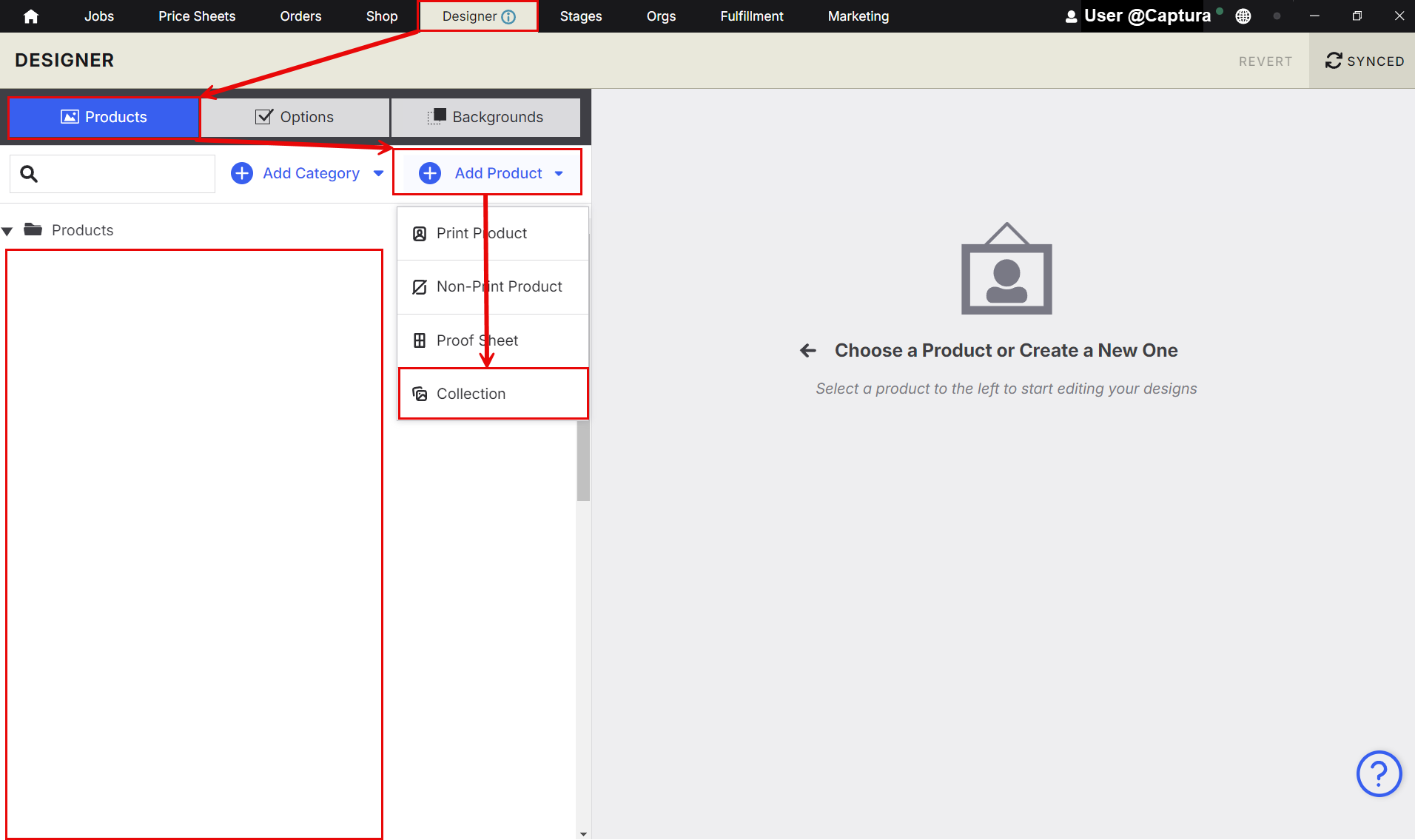
1. Create a New Collection Product
Go to Designer
Click Add Product.
Select Collection.
2. Configure Product Attributes
Just like a print product, you can adjust the core details — but with additional image‑selection controls.
Key fields to set:
(Optional) Add a display image that will promote the product in the cart
Edit Number of Images: Define how many images the customer must choose.
Range (Min–Max): Set the allowed selection range.
Include All Images: Enable this if the product should automatically include every image in the gallery.
Sync
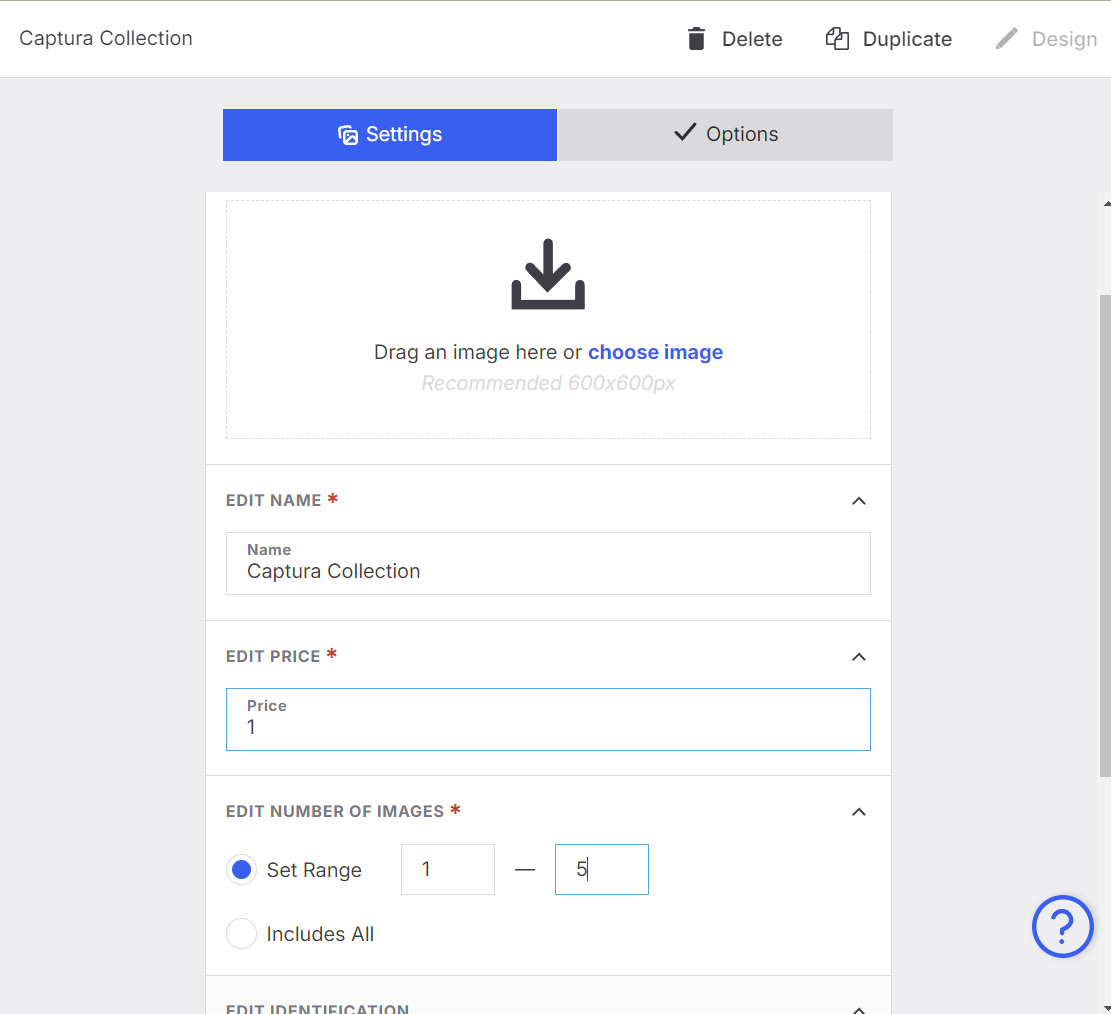
Once these are configured, your collection product is ready to be used in your storefront.
Advanced Options / Additional Rules
Use Include All Images for products like “All Digital Downloads.”
Use Range for albums or multi‑image products where customers must choose a specific number of images.
SKUs and Billing Codes can be added for labs or internal reporting.
Common Questions
Q: Can customers select fewer images than the minimum?
A: No — they must meet the minimum requirement before the product can be added to the cart.
Q: What happens if I enable “Include All Images”?
A: The customer won’t need to select anything; all images in the gallery will be included automatically.
Q: Can I use a collection product for digital downloads?
A: Yes — it’s ideal for both single‑image and multi‑image digital download workflows.