
Generating a Content Catalog
Edited
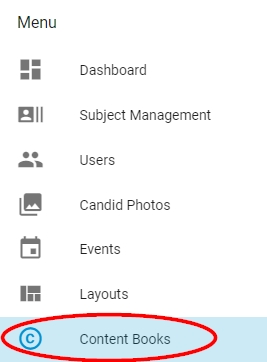
The Dashboard menu includes a tool to generate a catalog containing all the layouts, fonts and decorative elements available in the software. Click on Content Books to access this tool. |
|
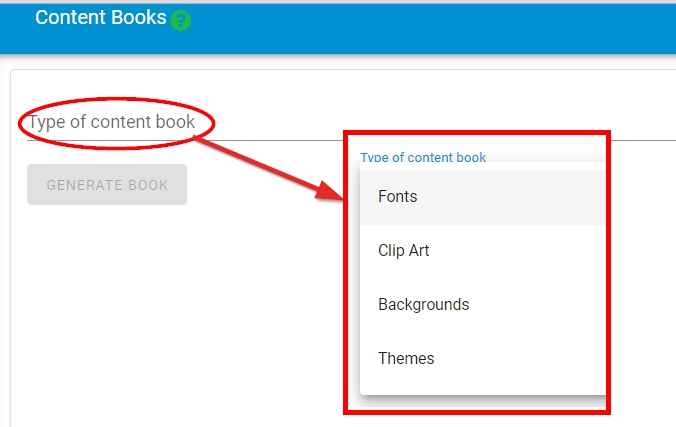
Click on Type of content book to choose which catalog to produce. After selecting the type, choose what you would like to generate. All checkmarked items will be added to the generated pdf catalog. |
|
After making your selections, scroll down to the Generate Book button. Once clicked, a pdf catalog will generate in a separate web browser tab. This may take a few minutes, so be patient. |
|

Was this article helpful?
Sorry about that! Care to tell us more?