Enhance Billing and Payment
How to Update Your Billing & Payment Method
Keep your billing information up to date by adding a new payment method and setting it as your default.
Update Your Billing Information
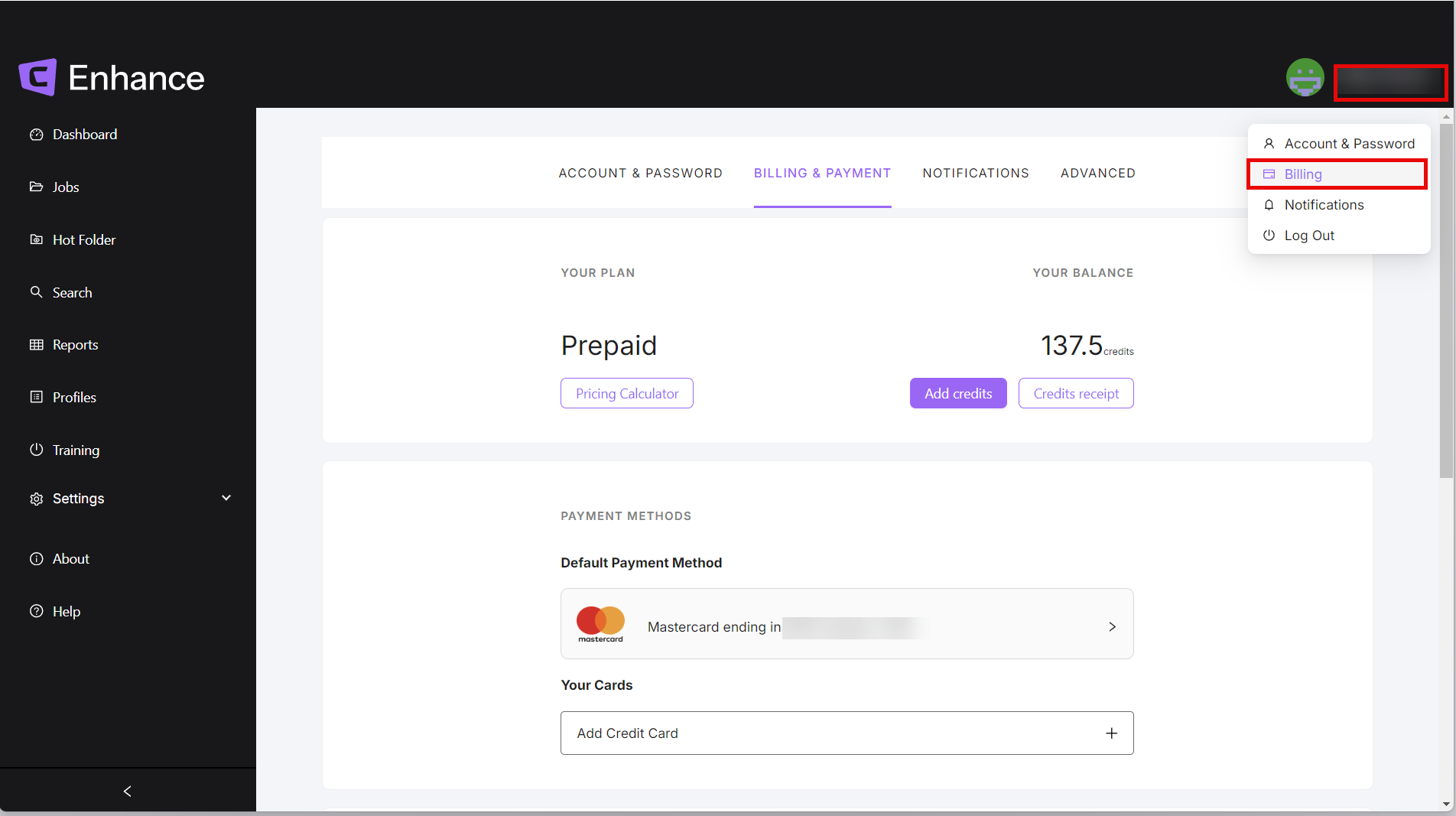
Click your Profile.
Select Billing.
From the Billing page, you can review your current payment information.
Add a New Card
If you need to change the card used for billing, do not try to update or edit your existing card.
Instead:
Click the option to add a new card.
Enter the new card details.
Set the new card as your default payment method.
Confirm that the new card is showing as the default.
Once the new card has been successfully set as the default payment method, you can delete the previous card from your account.
Important: Do not delete your existing card until your new card has been added and successfully set as the default payment method.
Payment Method Requirements: Enhance does not accept debit cards or Discover cards. Please use a supported credit card when adding your payment method.
Common Questions
Can I edit my existing card details?
No. If your card information has changed, add a new card and make it your default payment method.
Can I delete my old card?
Yes. Once your new card has been added and set as the default payment method, you can delete the previous card.
Can I use a debit card?
No. Enhance does not accept debit cards.
Can I use a Discover card?
No. Discover cards are not currently accepted.