
Image Protection using Snapshield (early access pilot)
Brief Overview
We are excited to announce that Captura is partnering with SnapShield.
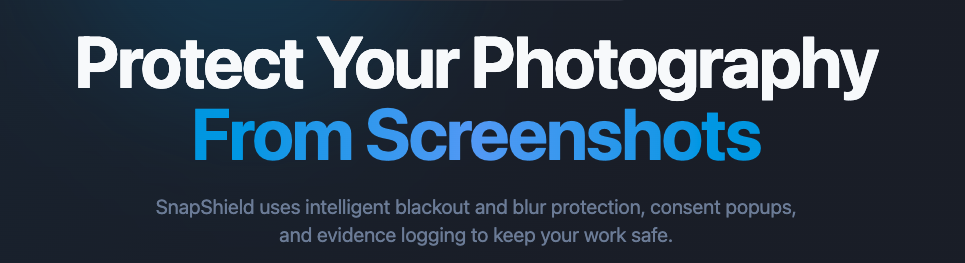
Protect your work. Protect your revenue. Protect the value of every image.
Snapshield adds an extra layer of protection to the online proofing experience, helping discourage unauthorized screenshotting and sharing before images are purchased.
For studios, that means more confidence that the work you create stays connected to the opportunity to sell it.
Overview & Objective
During the fall pilot ahead of a system-wide rollout of SnapShield, some accounts will have SnapShield added automatically and complimentary of Captura. If you are included, you will receive an email with more information.
Some studios will have this added to 50% of their shop traffic initially, with plans to increase use to 100% of the shop as we collect data and analyze shopping cart behavior.
Your early access runs through the end of the year.
For now, simply keep using your Shop as usual. We’ll monitor the rollout and share an update before the early-access period ends.
Do I need to do anything?
No. If you are a part of the pilot, we'll take care of the setup for you.
SnapShield will be enabled across your account, so you can continue using the Shop as usual.
What should I expect?
When SnapShield is active, you and your customers may notice:
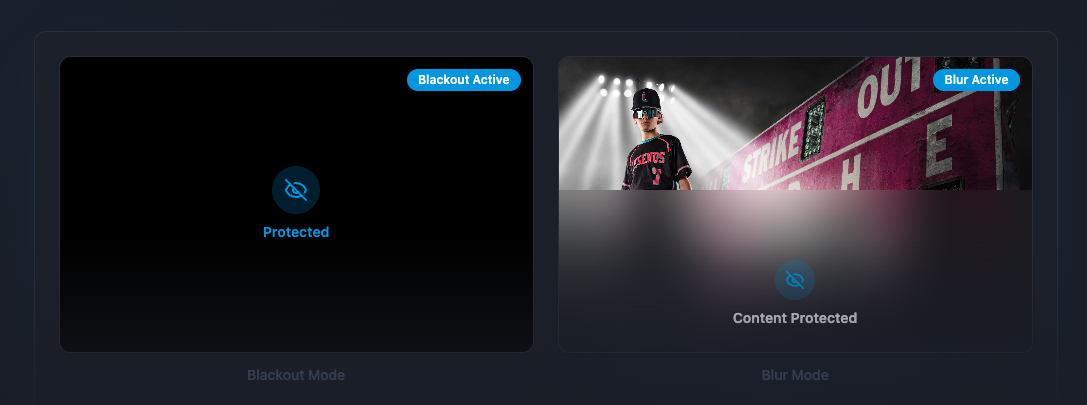
Screenshot protection on desktop and iOS. Protected images will black out when supported screen-capture activity is detected. Together, desktop and iOS account for 80% of Shop traffic.
Right-click protection. Right-clicking a protected image will trigger a protection message.
The same shopping experience. Customers can continue browsing, selecting, and purchasing photos as usual.
Lockout is disabled. Buyers will never lose access to their gallery.
A message when returning to the browser:
Protected Content
Photos are hidden while you are away.
Common Questions
Q: Is every customer included in the pilot?
No. If you have been included, we will contact you via email with the relevant details.
Q: Where will my images be protected?
SnapShield protects subject images in supported areas of your Shop, including My Photos and product/package configuration.
Protection does not apply to pre-order galleries, side cart, cart summary, or checkout.
Q: Does SnapShield work on mobile devices?
SnapShield blackout protection is currently available on iOS as part of this early-access experience.
Android protection includes long-press disablement and reporting.
Q: Can I customize the protection settings or messages?
To ensure a seamless shopping experience and mitigate risk to your studio, during the early access period, Captura is managing the SnapShield settings for you, so no configuration is required.
Our aim is to optimize protection for your studio and the experience for your customers. If you have any feedback, please reach out to your CSM at Captura or Captura Support.
Q: What is our current protection configuration?
Desktop: Blackout + Shield Mode
iOS: Blackout
Android: Long press is disabled and reported
Q: Can I see screenshot attempts?
SnapShield provides reporting that can give you visibility into capture attempts and related activity.
We'll share more information about accessing your SnapShield reporting as it becomes available.
Q: What happens when the trial ends?
Your SnapShield trial runs through the end of 2026 and will help us determine the best way to offer this protection going forward.
Additional Information
A quick note on mobile: SnapShield protection is currently available on desktop and iOS. Android protection is not yet supported during this trial.
Like any screenshot-protection technology, it should be considered an additional layer of protection rather than a guarantee against every possible method of capturing an image.
What if I don't want SnapShield enabled?
No problem. Contact support@captura.io, and we'll help you opt out.
Where can I go with questions?
For questions about SnapShield within your Captura Shop or opting out, contact support@captura.io.
For questions about SnapShield-specific features or additional customization, contact support@getsnapshield.com.