
Quick Menu
Selecting a checkbox next to an order in Fulfillment shows the Quick Menu:
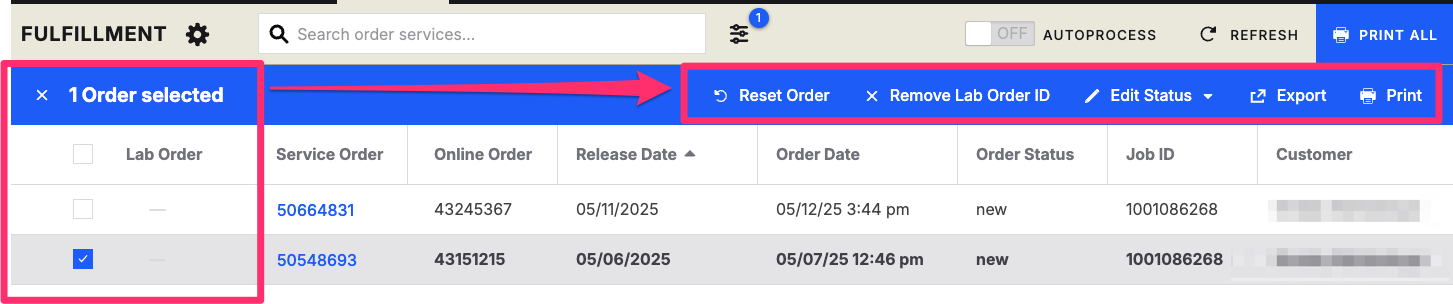
The available actions change switching between Print Services and Image Services.
Print Services Quick Menu

This menu lets you make various changes/updates to order(s), such as:
Reset Order
Sends order back to studio to edit/correct.
Required follow-up prompt to confirm and complete reset.
Remove Lab Order ID
Removes Lab Order ID currently applied to order.
Orders receive a Lab Order ID when set to Processed.
Remove the Lab Order ID to have it generate a new ID (and re-download) when reprocessed.
Edit Status
Order status starts with New status.
Order status is changed to Processed when printed.
Order status is changed to Processing when order printing failed.
Order status can always be manually set
Example: Changing an order status from Processing to Shipped
Export
Export the Smart Feed without printing the order
Print
Print selected orders
Image Services Quick Menu

Revert Images
Removes the serviced image from the selected orders.
Resets the selected image service orders status to New.
Download
Downloads images from selected orders to begin image servicing