
Barcode Labels, Cume Stickers & Mugbook Layout Specs
Brief Overview
This article outlines the exact dimensions, spacing, and layout structure for barcode labels (8‑up and 30‑up), cume stickers, and mugbook grids. These measurements ensure your printed materials align correctly with standard label sheets and mugbook templates.
Overview & Objective
You’ll learn:
The correct page size and label size for each format
Required margins, gaps, and padding
Pixel‑based grid rules for mugbooks
How each layout should look before printing
This ensures accurate alignment, prevents misprints, and helps your studio design layouts that match industry‑standard label sheets.
Setup / Configuration
Barcode (8‑Up) Labels
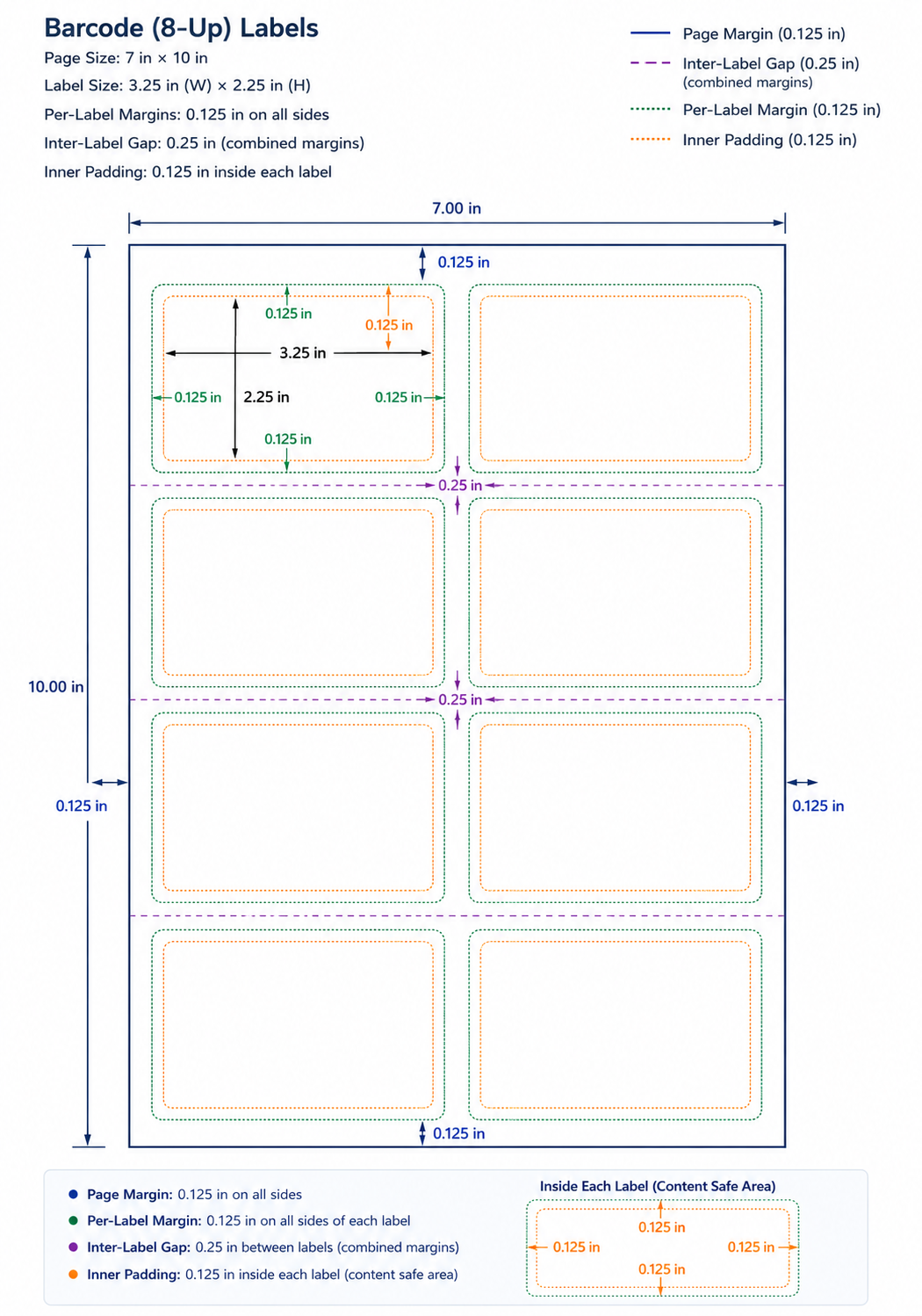
Page Size: 7 in × 10 in
Label Size: 3.25 in (W) × 2.25 in (H)
Per‑Label Margins: 0.125 in on all sides
Inter‑Label Gap: 0.25 in (combined margins)
Inner Padding: 0.125 in inside each label
💡 PRO TIP:
Because margins create the inter‑label gap, ensure your layout does not add additional spacing or it will misalign on print.
Barcode (30‑Up) Labels
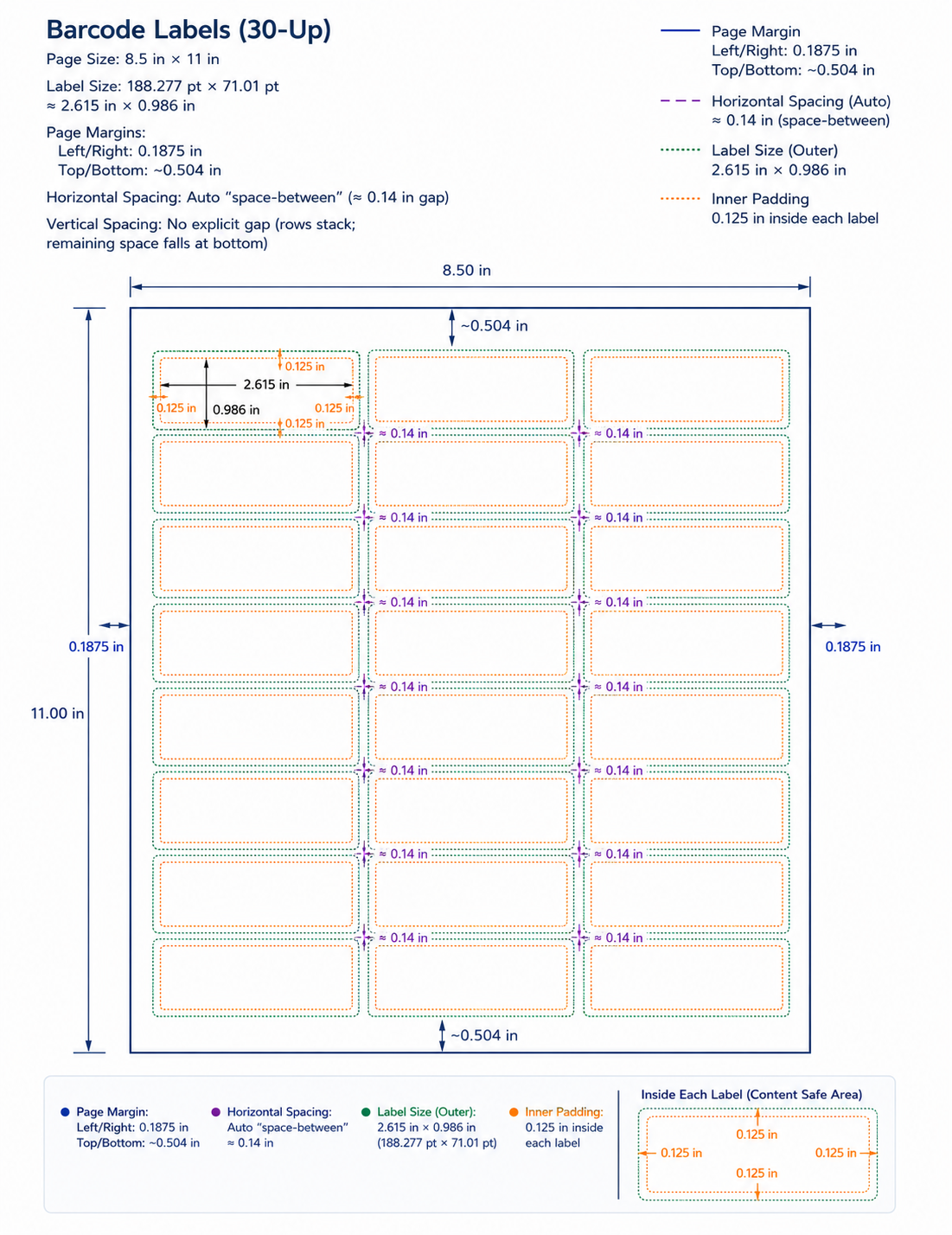
Page Size: 8.5 in × 11 in
Label Size: 188.277 pt × 71.01 pt
≈ 2.615 in × 0.986 in
Page Margins:
Left/Right: 0.1875 in
Top/Bottom: ~0.504 in
Horizontal Spacing: Auto “space‑between” (≈ 0.14 in gap)
Vertical Spacing: No explicit gap (rows stack; remaining space falls at bottom)
⚠️ CAUTION:
These labels rely on the page margins and auto spacing — do not add per‑label margins or the sheet will not align.
Cume Stickers
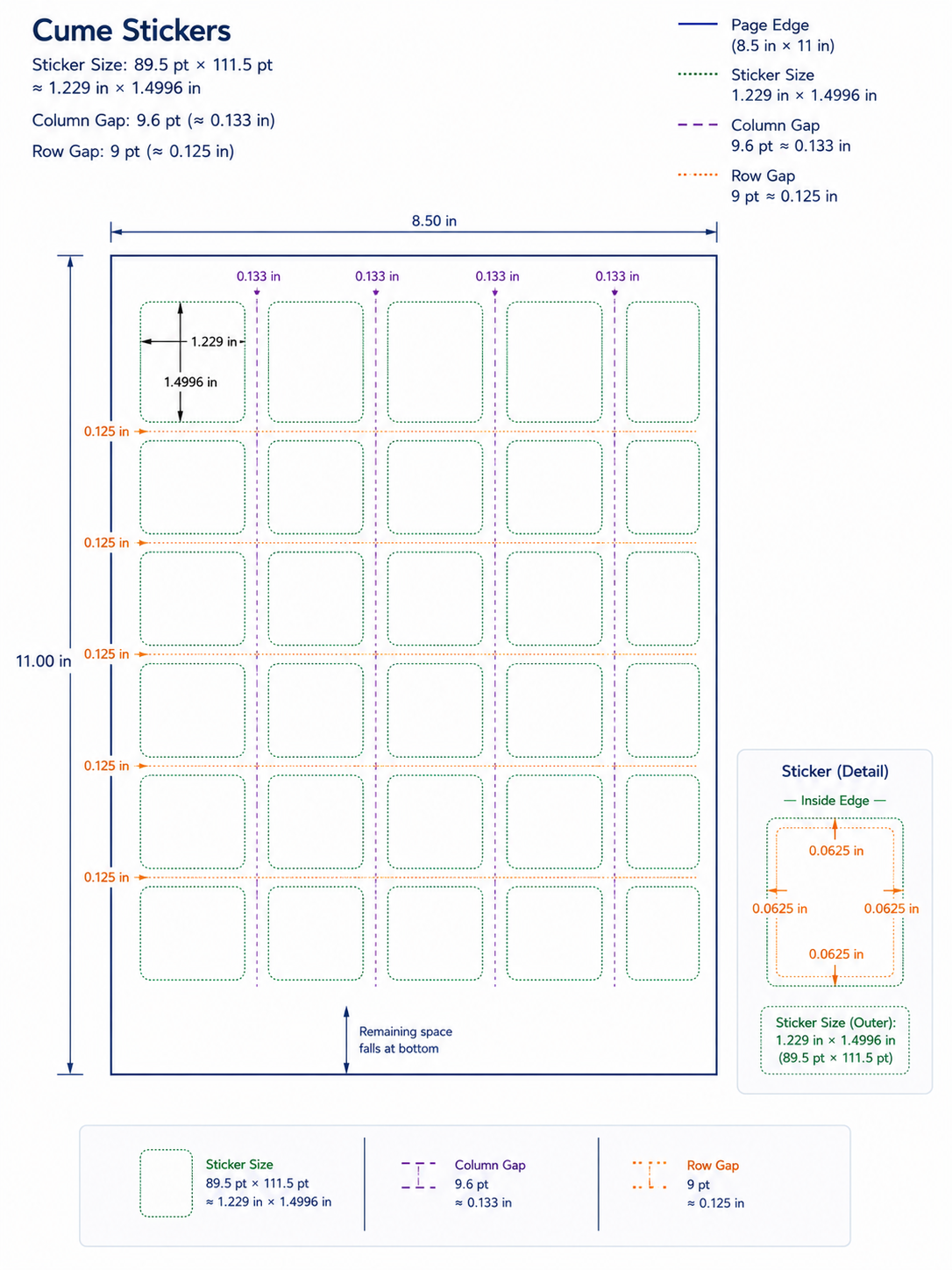
Sticker Size: 89.5 pt × 111.5 pt
≈ 1.229 in × 1.4996 in
Column Gap: 9.6 pt (≈ 0.133 in)
Row Gap: 9 pt (≈ 0.125 in)
Step‑by‑Step Instructions
1. Choose the correct template
Select the layout type (8‑up, 30‑up, cume sticker, or mugbook).
3. Add your content
Insert barcodes, student info, or images inside the defined safe area.
4. Export or print a test sheet
Always test on plain paper before printing on label stock.
Advanced Options / Additional Rules
Mugbook Layouts
Mugbooks use pixel‑based grids, not inches.
Image Tile Size:
118 px (W) × 124 px (H)
Text appears below the image.
Portrait Mugbook Grid
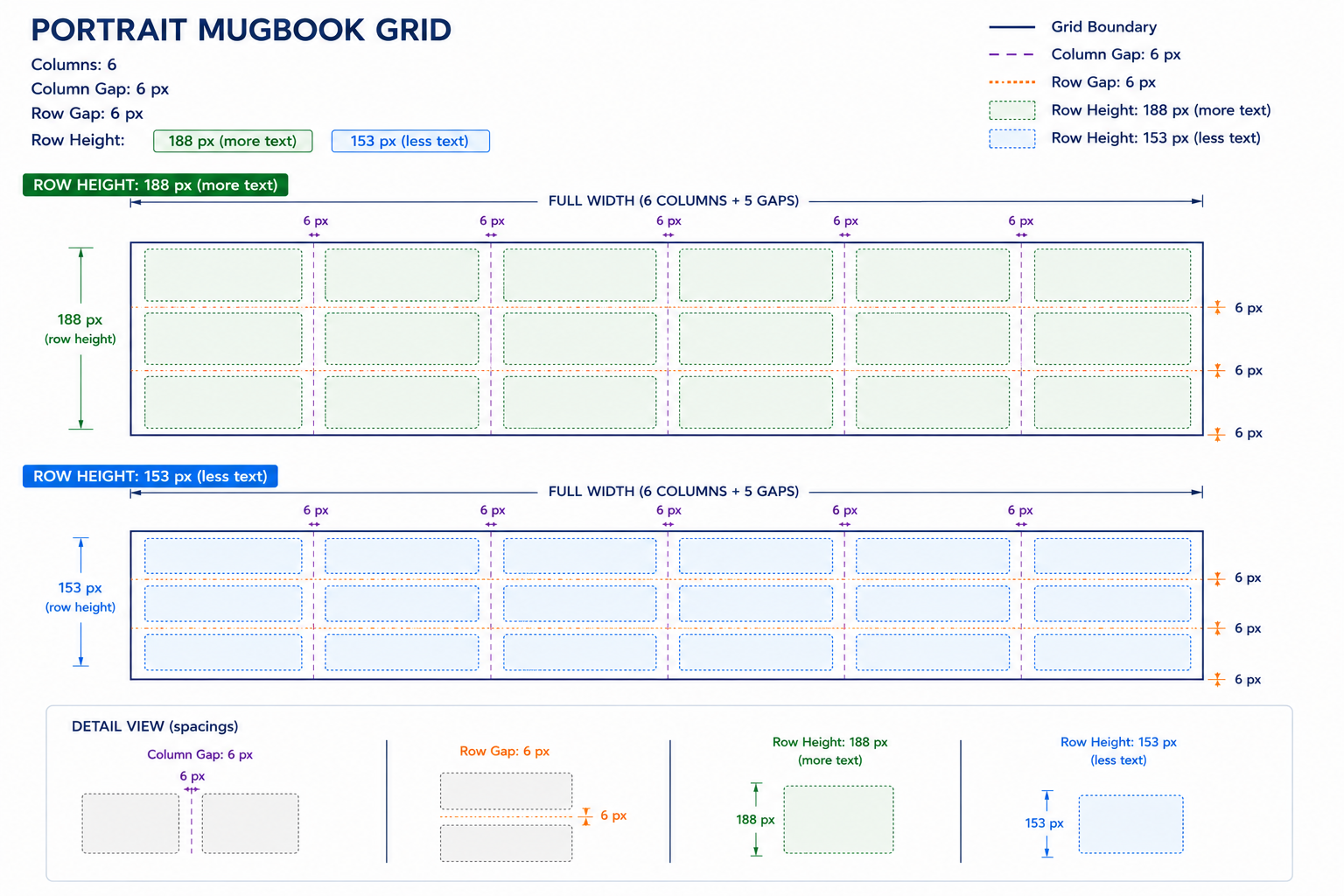
Columns: 6
Column Gap: 6 px
Row Gap: 6 px
Row Height:
188 px (more text)
153 px (less text)
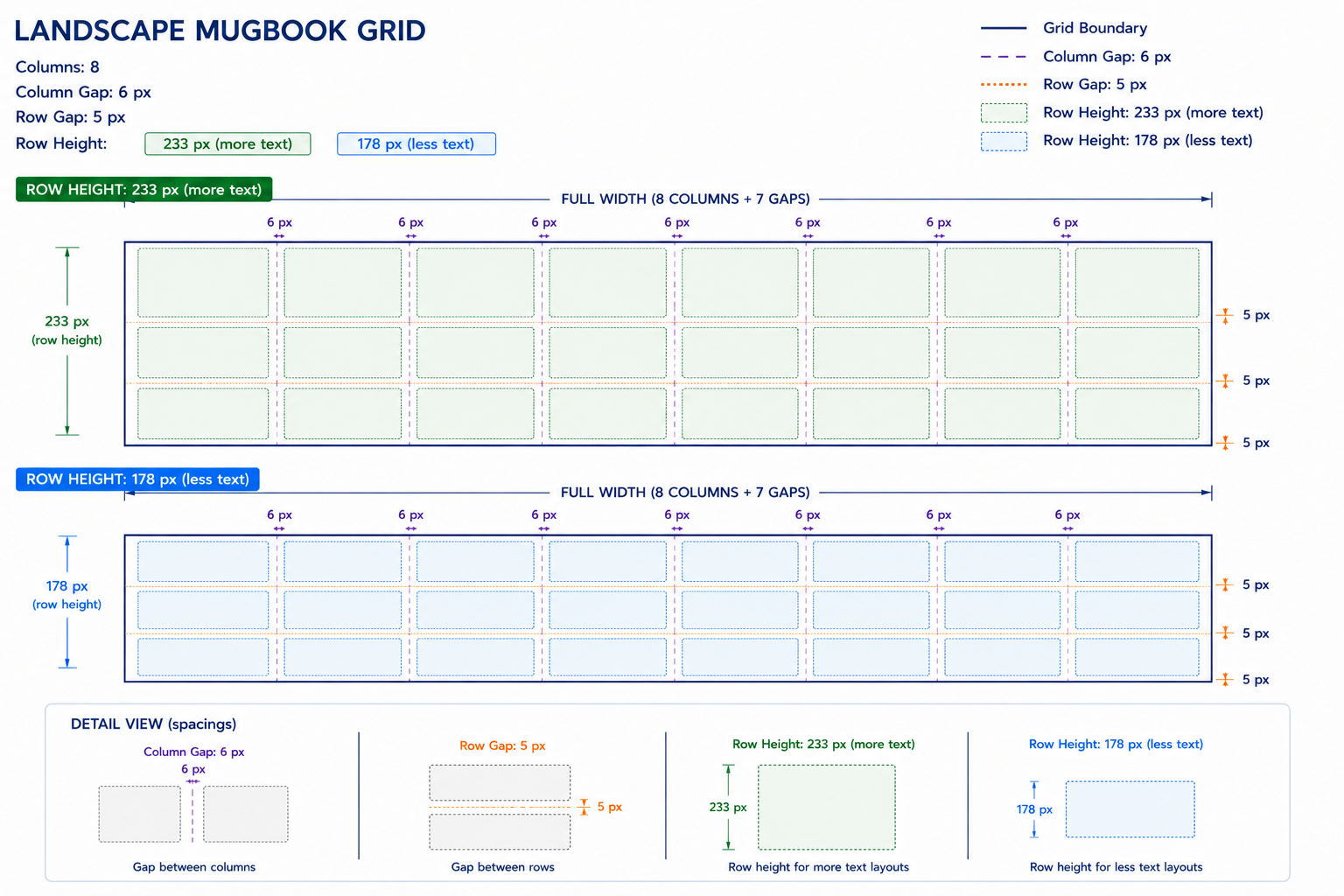
Landscape Mugbook Grid
Columns: 8
Column Gap: 6 px
Row Gap: 5 px
Row Height:
233 px (more text)
178 px (less text)
Pixel‑to‑Inch Approximation
118 px ≈ 1.23 in
6 px ≈ 0.063 in
💡 PRO TIP:
Use pixel‑based design tools (Photoshop, Figma, etc.) for mugbooks to avoid rounding errors.
Common Questions
Q: Why don’t my barcode labels line up when printing?
A: Check that you’re using the exact page margins and spacing listed above. Even small deviations cause misalignment.
Q: Can I add extra padding inside the labels?
A: Yes for 8‑up labels (they include inner padding), but no for 30‑up labels — they rely on auto spacing.
Q: Why are mugbook layouts measured in pixels instead of inches?
A: Mugbooks are designed for screen‑based grids that convert cleanly to print. Pixel precision prevents distortion.
If you want, I can also generate actual diagrams for each layout using simple shapes and labels — just say the word.