
Change Your Password in Captura Workflow
Overview & Objective
If you've forgotten your Captura Workflow password or simply want to update it, you can do so in just a few steps.
This guide covers both password recovery and changing your password while you're signed in.
Setup / Configuration
There are two ways to change your password:
Forgot your password? Reset it from the login screen using your username and a verification code.
Know your current password? Update it from your user account within Captura Workflow.
💡 Pro Tip: Make sure your user account has a current email address. Password reset codes are sent to the email associated with your username.
Step-by-Step Instructions
Option 1: I Forgot My Password
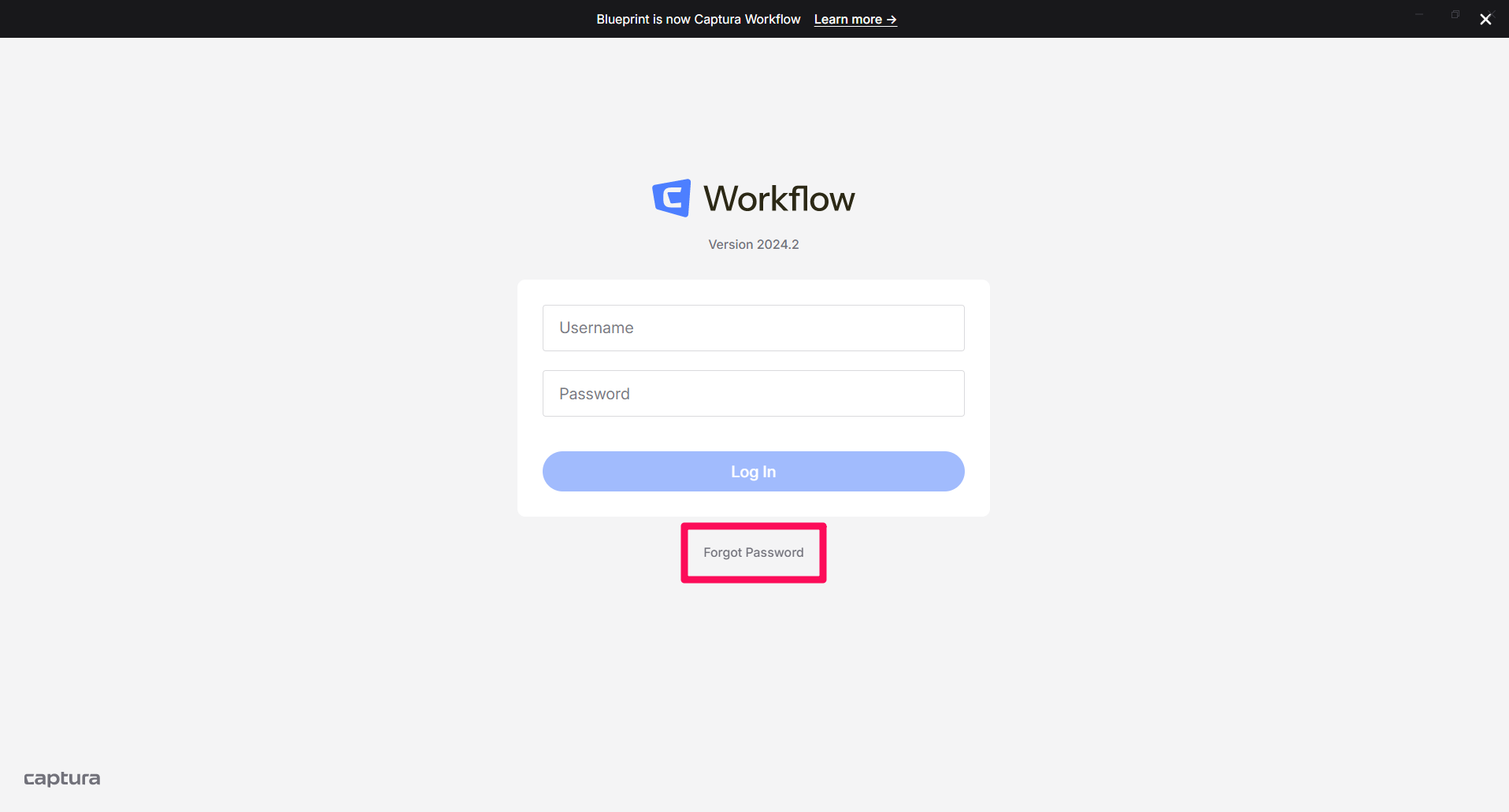
Step 1: Select Forgot Password
On the Captura Workflow login screen, click Forgot Password.
Step 2: Enter Your Username
Enter your username to begin the password reset process.
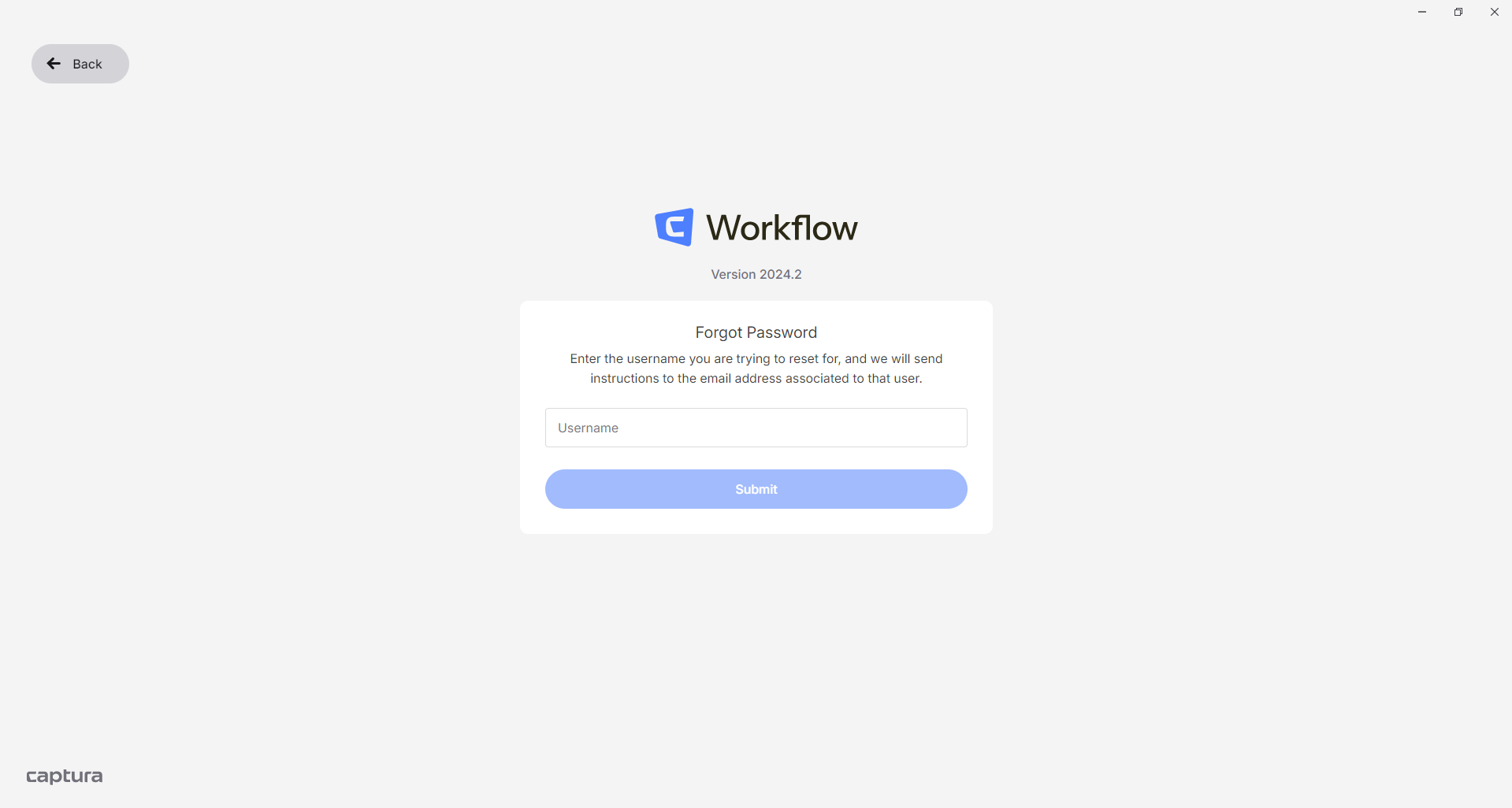
Captura Workflow will send a 4-digit verification code to the email address associated with your username.
Important: Contact your manager if:
You've forgotten your username.
You don't receive the verification email from no-reply@imagequix.com.
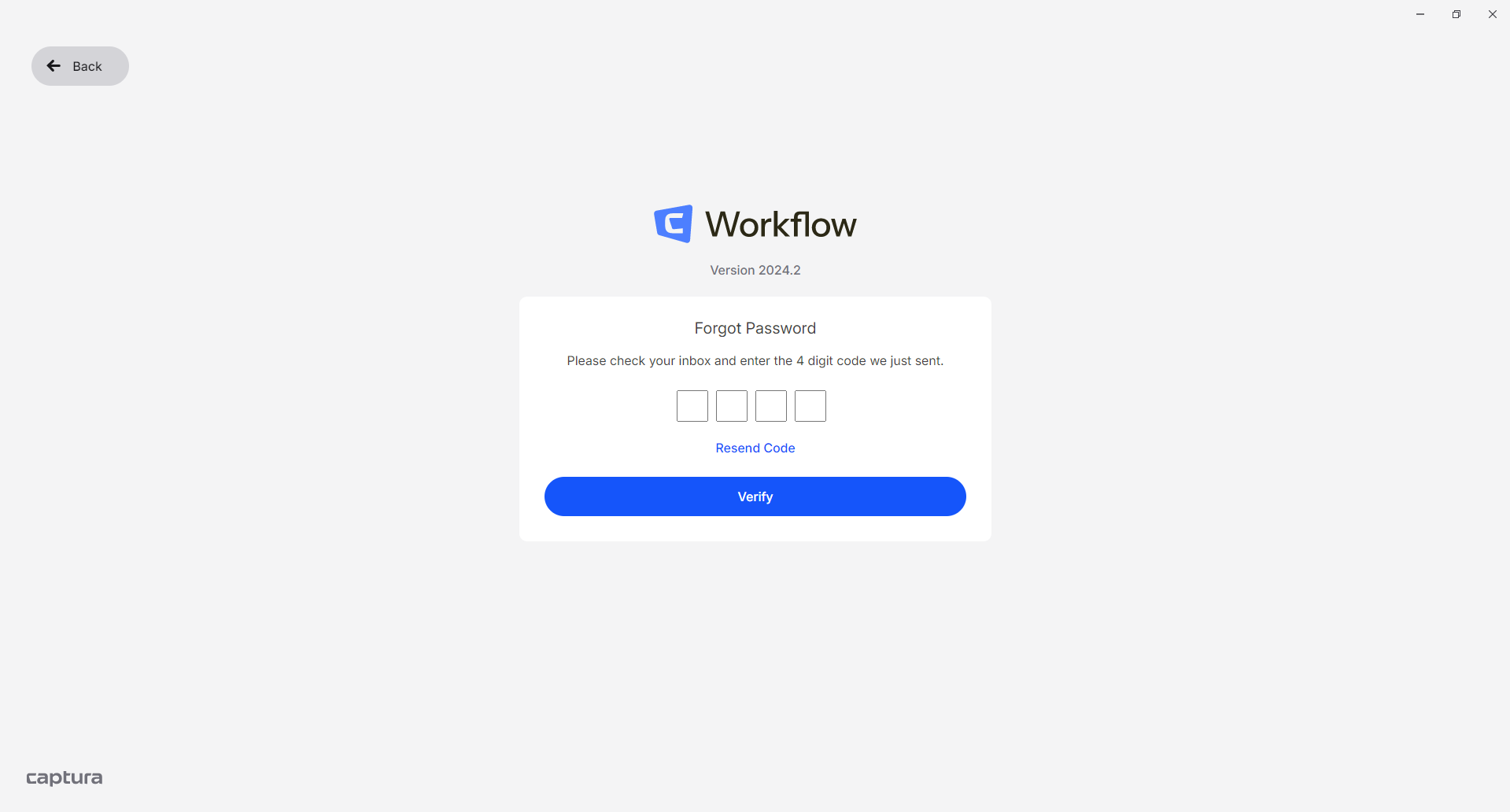
Step 3: Enter the Verification Code
Enter the 4-digit code you received by email.
Step 4: Create a New Password
Enter your new password.
Your password must meet the following requirements:
Requirement | Description |
|---|---|
Minimum Length | At least 10 characters |
Uppercase Letter | At least 1 uppercase letter (A–Z) |
Lowercase Letter | At least 1 lowercase letter (a–z) |
Number | At least 1 number (0–9) |
Special Character | At least 1 special character (for example: |
Option 2: I Know My Password and Want to Change It
Step 1: Open User Preferences
In Captura Workflow, navigate to:
Preferences → Users
Select your user account.
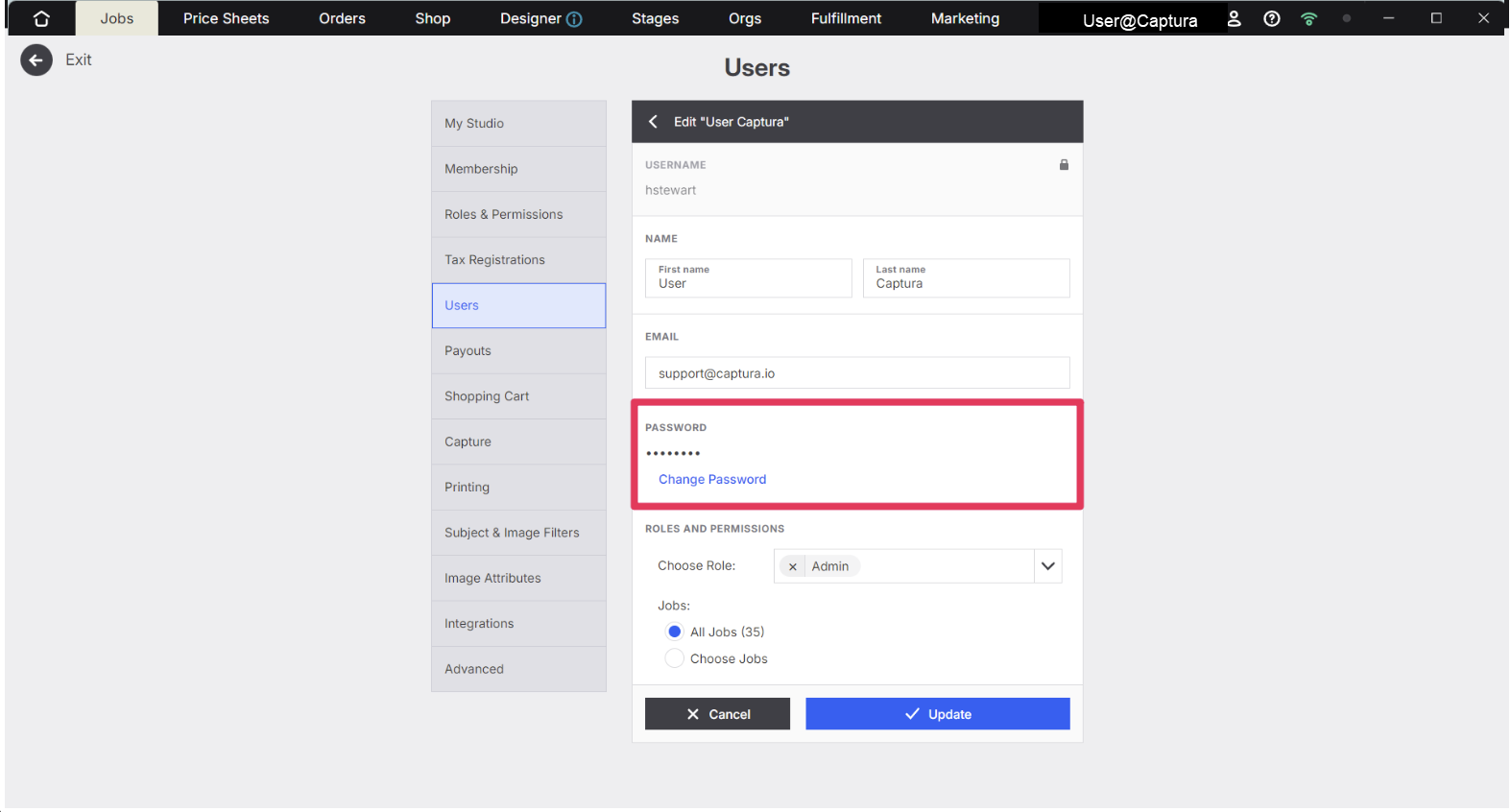
Step 2: Change Your Password
Click Change Password.
Enter:
Your current password
Your new password
Save your changes to update your password.
Advanced Options / Additional Rules
Password Requirements
All new passwords must meet the following requirements.
Requirement | Required |
|---|---|
Minimum of 10 characters | ✔ |
At least one uppercase letter | ✔ |
At least one lowercase letter | ✔ |
At least one number | ✔ |
At least one special character | ✔ |
Common Questions
Q: I forgot my username. What should I do?
A: Contact your direct manager for assistance. Your username is required to begin the password reset process.
Q: I didn't receive the password reset email.
A: First, check your spam or junk folder. If you still don't receive the email from no-reply@imagequix.com, contact your direct manager for assistance.
Q: Can I change my password while I'm logged in?
A: Yes. Navigate to Preferences → Users, select your account, and choose Change Password.
Q: What are the password requirements?
A: Your password must be at least 10 characters long and include an uppercase letter, lowercase letter, number, and special character.
Q: Where is the verification code sent?
A: The 4-digit verification code is sent to the email address associated with your Captura Workflow username.