
Using sub-organizations in PLIC.io
Learn how to group + relate multiple projects together using sub-organizations in PLIC.io
In PLIC.io, your studio is also referred to as an organization. An organization can have multiple sub-organizations, whichhelp studios keep many projects grouped together under a common reference.
🍎 Example: In school photography - a studio may create a sub-organization for each school accountphotographed.
🏈 Example: In sports photography - a studio may create a sub-organization for a league and create projects for each event photographed.
Creating sub-organizations in PLIC.io
After logging into PLIC.io, select My Organizations → Sub-Organizations:
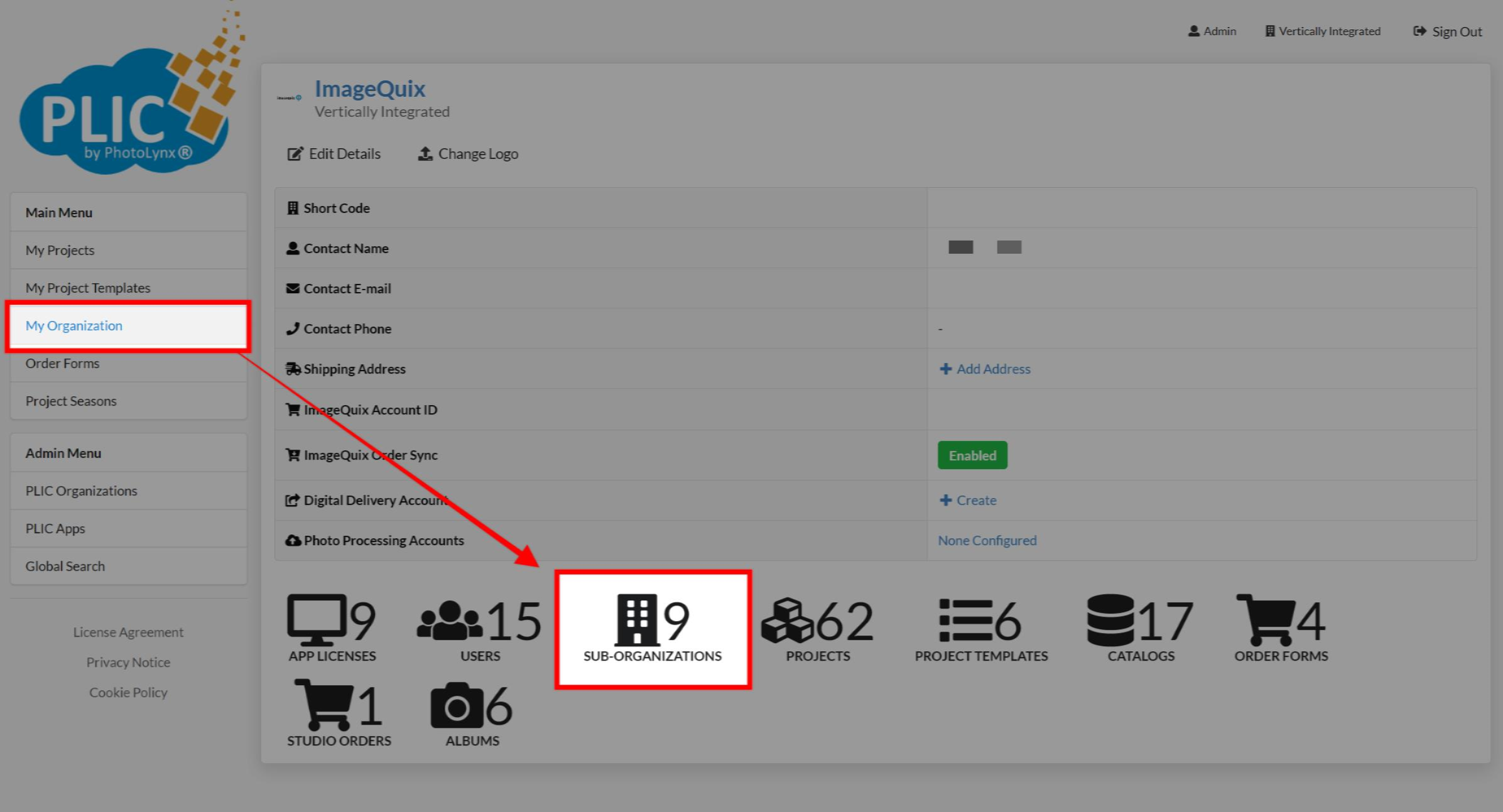
With sub-organizations, you can manage things like:
App Licenses
Users
Projects
Project Templates
Catalogs
Order Forms
Albums
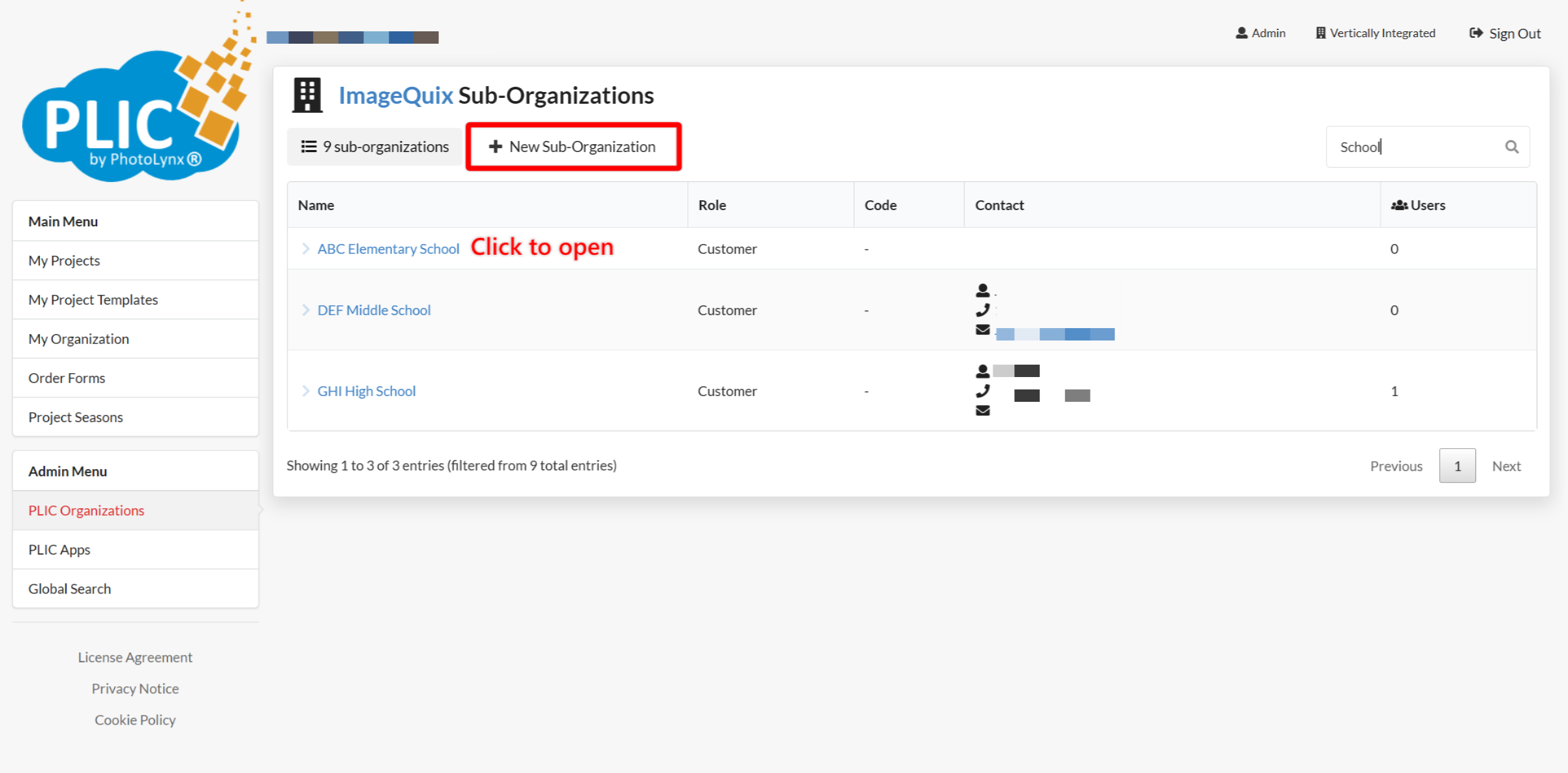
Select a name to open an existing sub-organization, or create a new one:
When creating a new sub-organization, you'll need to fill out the following information:
Name
Role (Customer or Studio)
Contact Name
Email
Phone
Short Code (up to 9 characters)
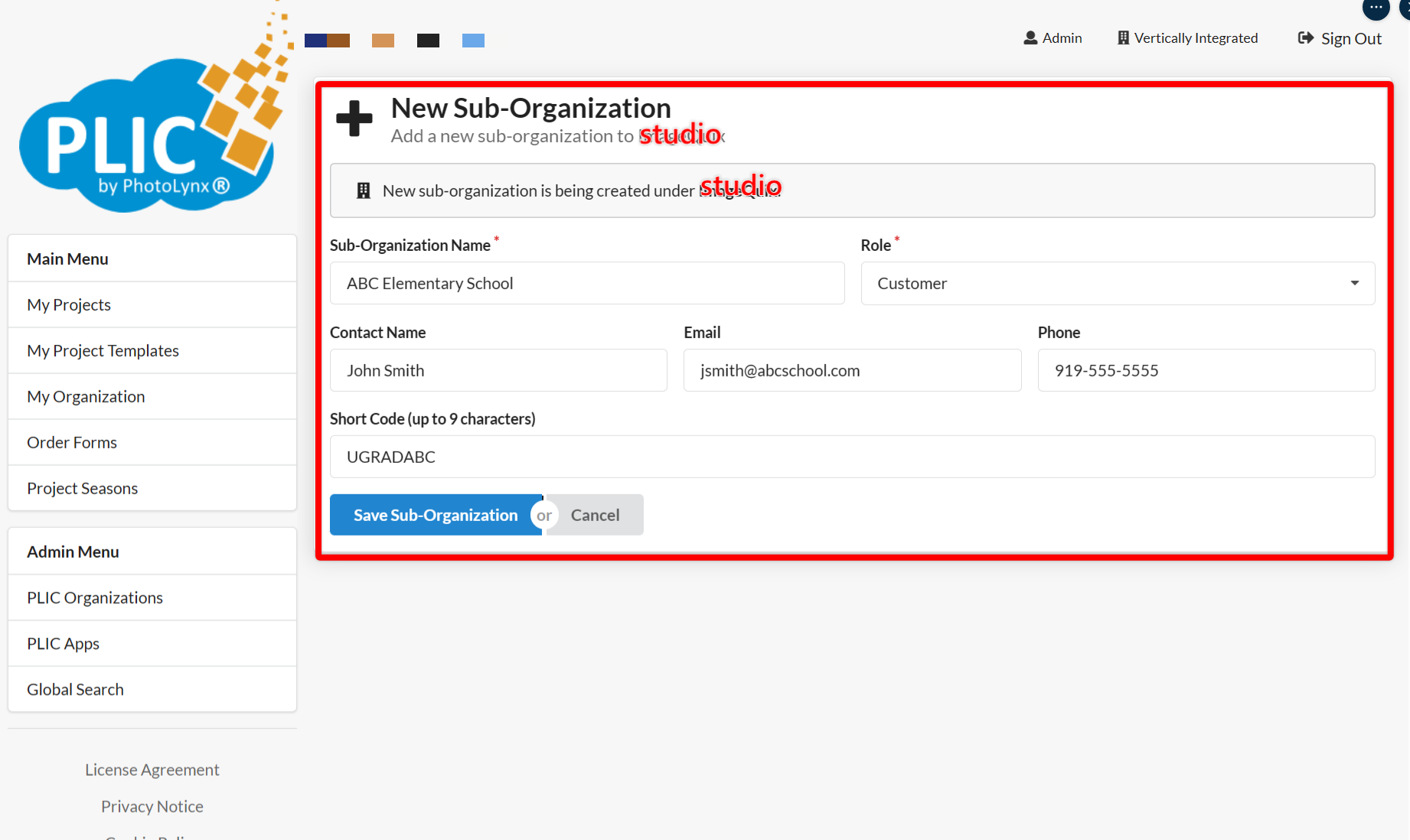
❗Sub-organizations with the Studio role will have access to sensitive studio settings in PLIC. We recommend creating sub-organizations with Customer roles.
Deleting sub-organizations in PLIC.io
In PLIC.io, open My Organizations and select a name to open a sub-organization. The option to delete a sub-organization will be towards the top of the screen:
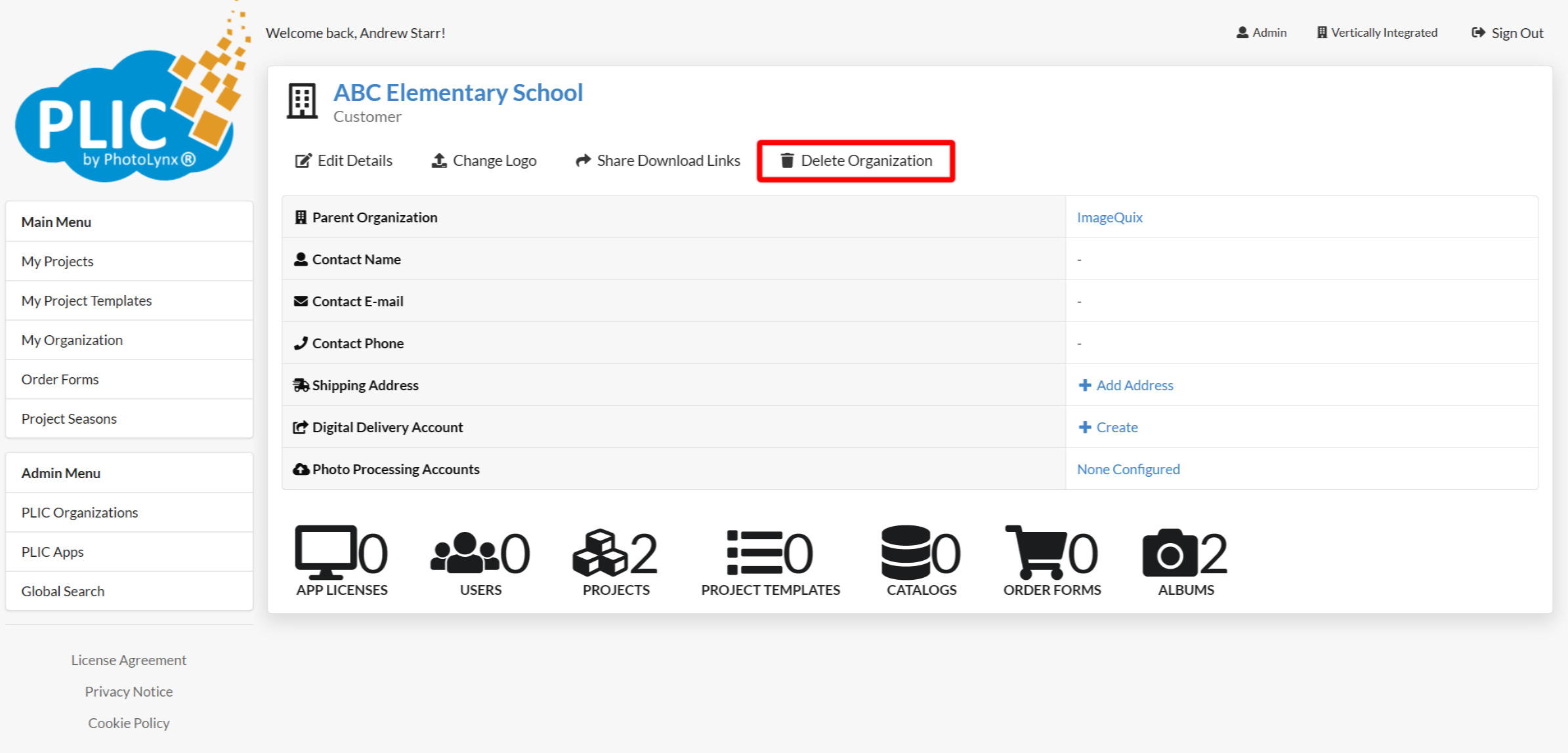
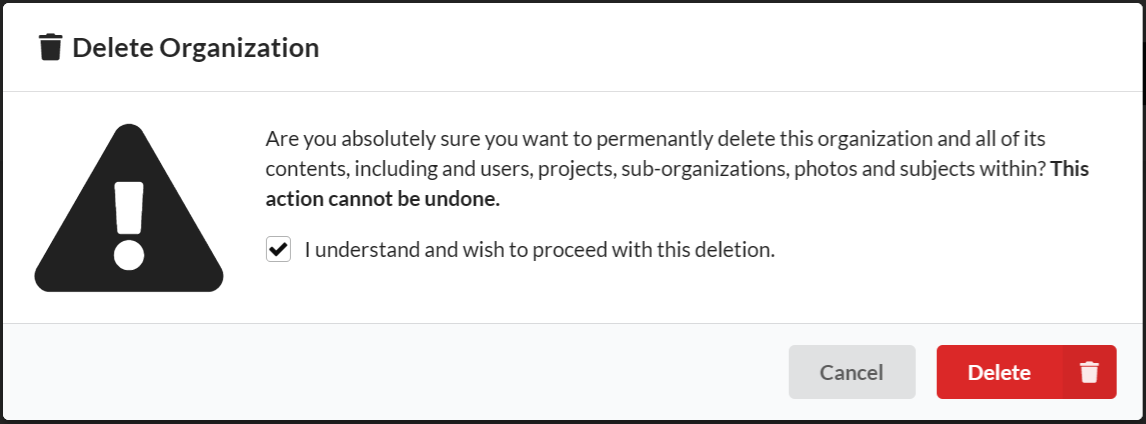
You'll need to acknowledge the message confirming you would like to delete and remove everything from that sub-organization to finish.
When done, that sub-organization will be deleted.